
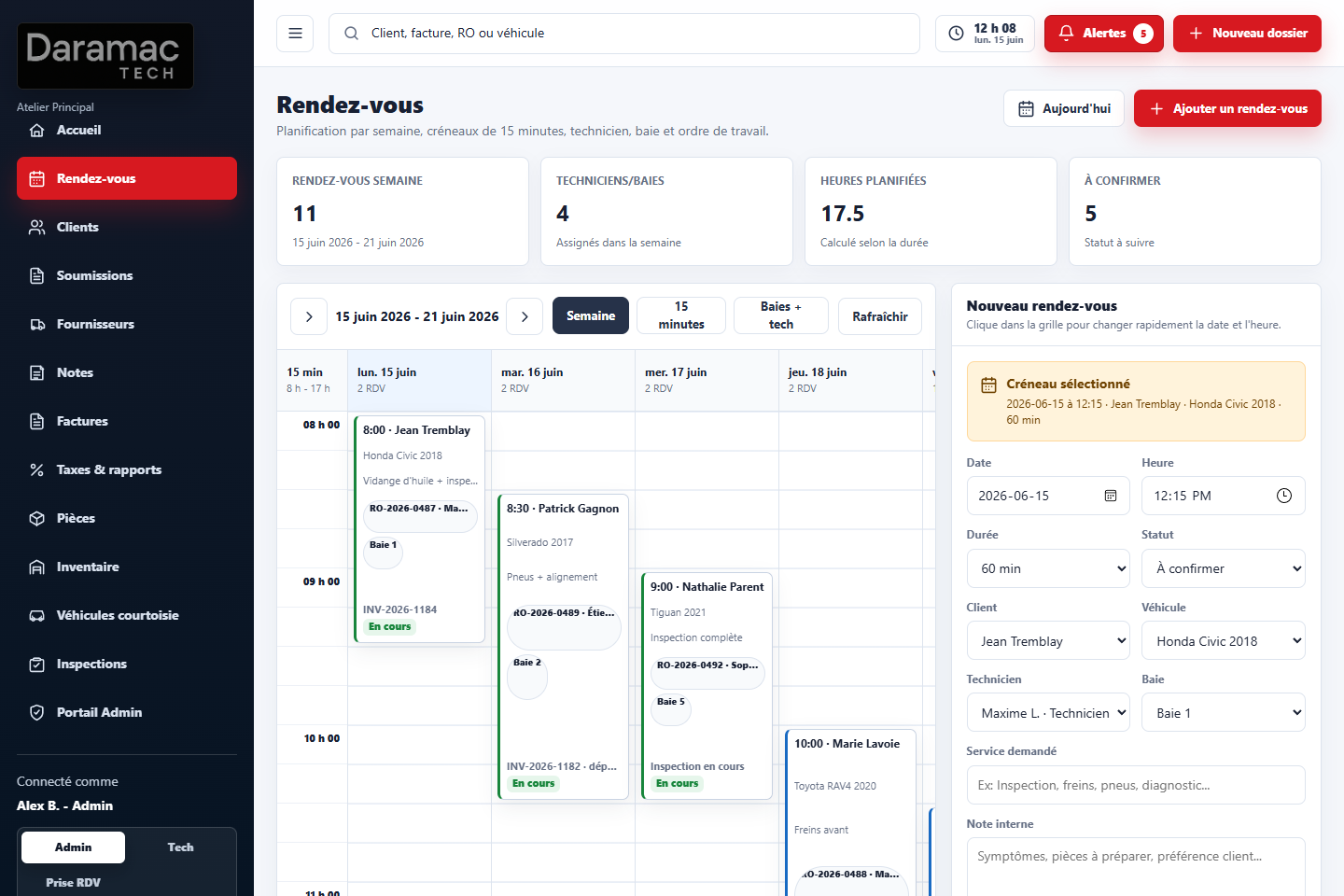
 Calendar
Day, week and work bay views
Calendar
Day, week and work bay views
Run your repair shop from appointment to invoice, without installing local software.
MecaOps centralizes appointments, customers, vehicles, estimates, repair orders, inspections, invoices and reminders in one web platform built for automotive shops.
Designed for garages that want a clear, modern and practical workflow for the front counter, the office and the shop floor.
- 100% web-based
- No local installation
- Mobile and tablet ready
- French / English
- Optional QuickBooks Online
- Optional client SMS
- Pricing in Canadian dollars
 Calendar
Day, week and work bay views
Calendar
Day, week and work bay views
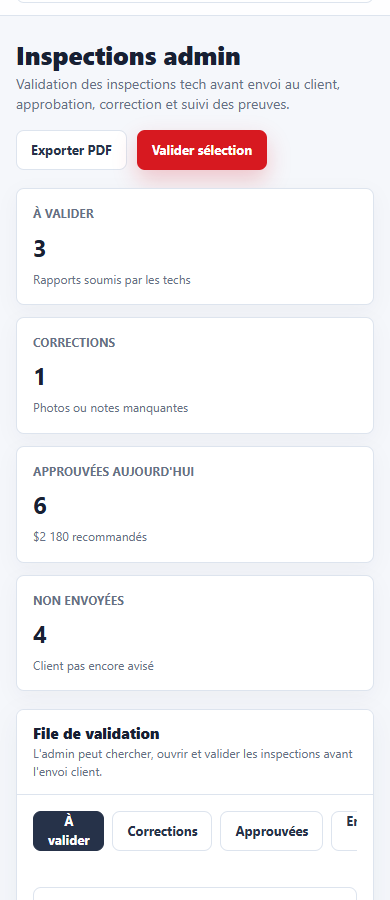 Mobile inspection
Photos and notes from a phone
Mobile inspection
Photos and notes from a phone
Front counter
Customers, vehicles, appointments and reminders.
Shop floor
Repair orders, inspections, photos and statuses.
Administration
Invoices, taxes, reports and users.
Accounting
Optional QuickBooks Online connection when needed.
Available for garages ready to modernize their operations.
MecaOps is available for automotive repair shops that want to bring appointments, clients, vehicles, estimates, work orders, invoices and reminders into a single professional web platform.
Daramac helps configure your workspace around your real shop process: users, permissions, taxes, document templates, workflow rules and optional accounting integrations.
- Guided commercial implementation
- Configuration based on your shop
- Basic training available
- Data import possible depending on format
- Optional QuickBooks Online configuration
- Launch support
Tools a repair shop uses every day.
MecaOps focuses on the operational basics: customers, vehicles, appointments, estimates, repair orders, inspections, invoices, reminders and mobile access.
Customers and vehicles
Contact details, plates, VIN, odometer, notes, photos, status and service history.
Appointments
Schedule visits, see available bays and assign work to the right employee.
Estimates
Professional estimates with parts, services, labor, taxes, notes and approval status.
Repair orders
Track requested work, parts, labor, status and internal notes.
Invoicing
Turn completed work into an invoice while keeping the customer history intact.
Inspections
Mobile-friendly checklists with photos, defects, recommendations and quality validation.
Parts and services
Search parts and services, then attach them to an open estimate or invoice.
Employee time
Clock in, clock out, breaks, leave requests and payroll preparation data.
Reports
Open work, upcoming appointments, invoices, taxes and simple management indicators.
Optional QuickBooks Online
Accounting connection can be configured depending on your shop requirements.
Optional client SMS
SMS notifications for confirmations, reminders and follow-ups are available as an add-on.
A practical workflow from booking to billing.
The customer file, vehicle, appointment, repair order, inspection, estimate and invoice stay connected so the team does not have to re-enter the same information repeatedly.
-
01
Appointment
Book the visit, choose the bay and assign the technician or advisor.
-
02
Inspection
Add notes and photos from the shop floor, then send for admin validation.
-
03
Estimate
Add services, parts, labor and taxes before sending to the customer.
-
04
Approval
Track what is approved, what needs correction and what was sent to the customer.
-
05
Repair order
Follow the work in progress with status, parts and technician notes.
-
06
Invoice
Generate the final invoice from the work completed.
Built for the counter, office and shop floor.
MecaOps is responsive web software. Your team can use it on desktop, tablet or mobile without a heavy local installation.
- No heavy local software
- Browser-based access
- Mobile-friendly interface
- Useful on shop tablets
- Automatic updates
- Fast access to clients and vehicles
Optional QuickBooks Online integration.
MecaOps can be configured with QuickBooks Online to reduce duplicate data entry and make accounting follow-up easier. The connection depends on the garage's process and requirements.
A QuickBooks Online subscription can be separate from the MecaOps subscription. Configuration is discussed during implementation.
Discuss accounting optionsA concrete view of the portal.
Examples of the calendar, dashboard, invoices and mobile inspection workflow.
Plan the week without losing customer context
See appointments, bays, services and assigned technicians from the same calendar.
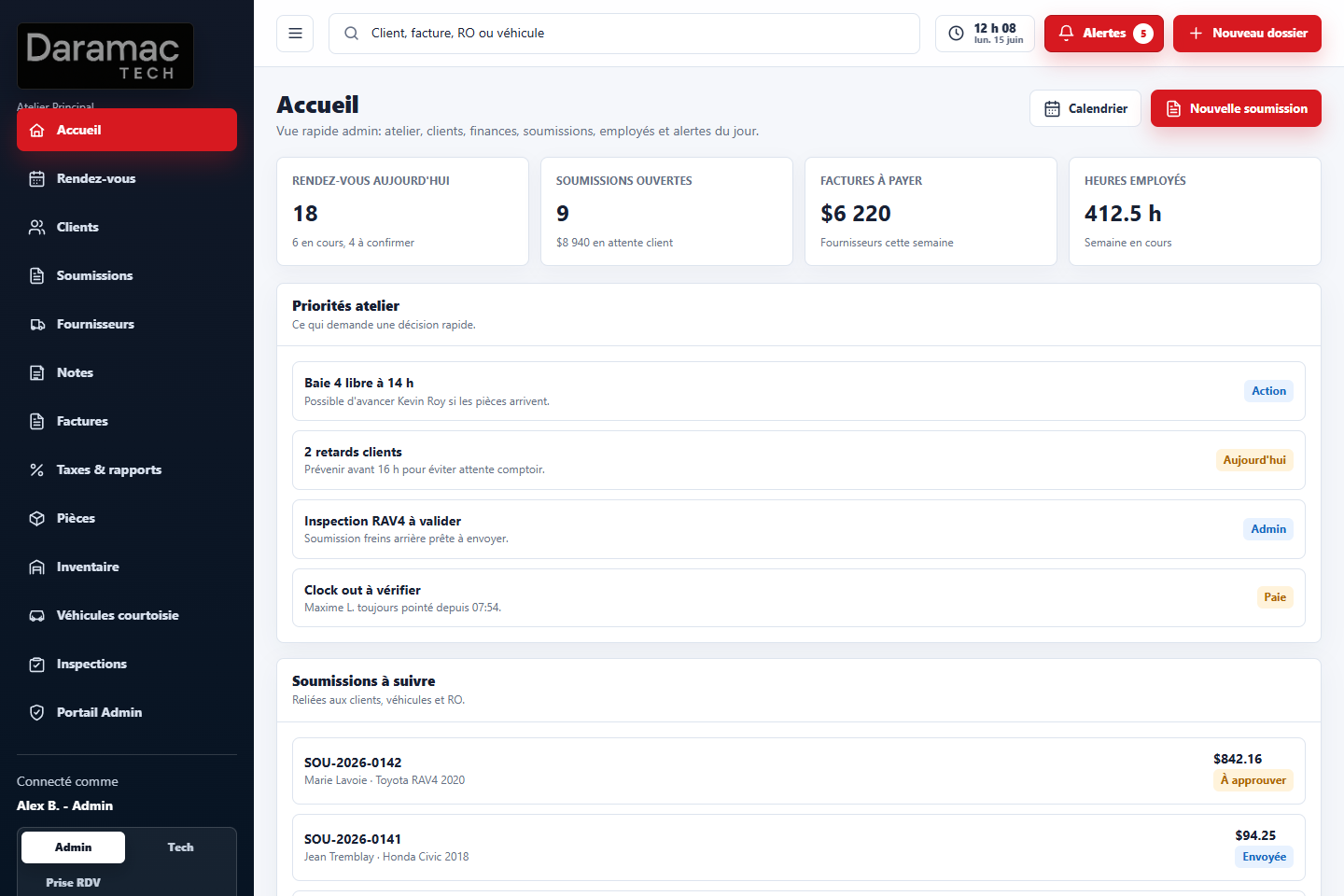
Admin overview
Daily tasks, alerts, appointments and employee workload.
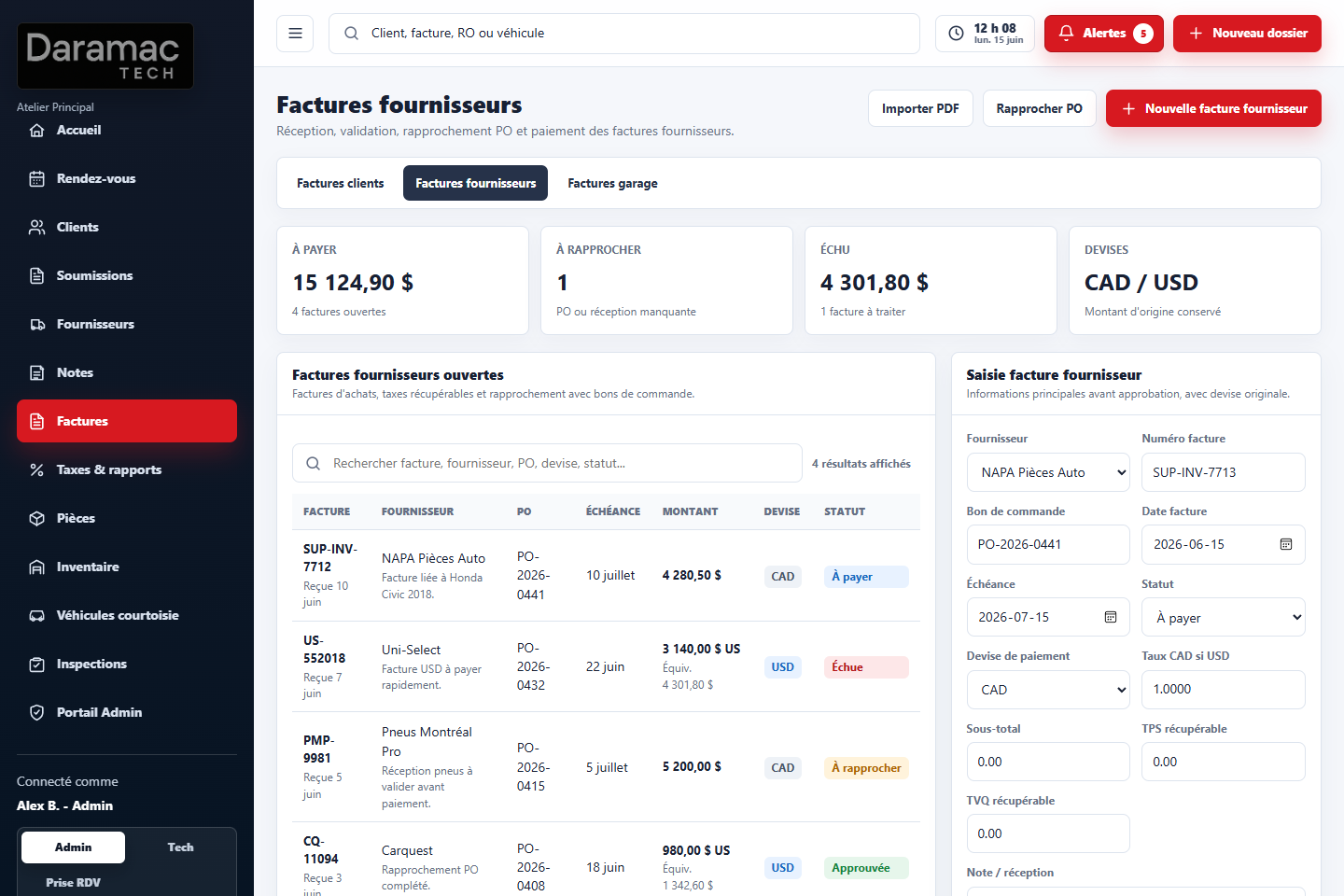
Invoices and taxes
Customer invoices, supplier invoices and year-end information.
Mobile inspection
Photos, defects, checklist points and validation workflow.
A guided production setup.
MecaOps is configured around the way your garage works. The goal is to launch with useful data, clear roles and a workflow your staff can actually follow.
Presentation and needs review
We review appointments, estimates, work orders, invoicing, users, accounting and special requirements.
Shop configuration
We configure garage information, taxes, users, permissions, templates, options and basic workflows.
Production launch
Your team starts using MecaOps in daily operations with launch support based on the selected plan.
Simple pricing for real shop implementation.
Monthly plans in Canadian dollars with an implementation adapted to your garage.
Shop
$200 / month
For small and medium garages that want to centralize daily operations.
- Customers and vehicles
- Appointments
- Estimates
- Repair orders
- Invoices
- Service history
- Desktop, tablet and mobile access
- Basic support
Most popular
Shop Plus
$250 / month
For garages with more volume, more users or more follow-up needs.
- Everything in Shop
- Reminders according to activated options
- Inspection photos and notes
- Advanced reports
- Optional QuickBooks Online integration
- Priority support
Custom
From $349 / month
For larger teams, structured operations or special requirements.
- Advanced configuration
- Possible data migration
- Custom workflows
- Multi-shop structure
- Optional SMS and accounting integrations
Prices are in CAD. Taxes extra. Client SMS and QuickBooks Online subscription may be billed separately depending on configuration and usage.
Designed for real shop use.
MecaOps is built for practical day-to-day operations in an automotive garage.
Separate shop data
Each garage has its own workspace, users and operational data.
User access
Admin, technician and appointment-taking roles can be separated.
Web platform
No heavy local installation. Access MecaOps from a web browser.
Launch support
Daramac helps configure the platform before daily production use.
Frequently asked questions
Is MecaOps ready for production use?
Yes. MecaOps is offered as a commercial solution for garages that want to modernize their operations.
Is QuickBooks mandatory?
No. QuickBooks Online is optional and can be configured only when the garage needs it.
Are SMS notifications included?
SMS can be enabled depending on the plan and message volume. Additional messaging fees may apply.
Can each garage have its own workspace?
Yes. MecaOps is designed as a multi-shop platform with separate workspaces.
Does MecaOps work on mobile and tablet?
Yes. MecaOps works on desktop, tablet and mobile from a web browser.
Is it available in French and English?
Yes. The platform is designed for French and English use.
Book a MecaOps presentation
Fill out the form and Daramac will contact you to discuss your shop, your workflow and the best way to implement MecaOps.
You can also call Daramac at 450-990-0796.
Ready to put MecaOps in production for your shop?
Book a presentation and see how MecaOps can simplify appointments, customers, vehicles, estimates, repair orders, invoices and reminders.
A clear web platform built for garages that want real operational production.